Your Synology Drive, connected to your AI assistant
Like the Google Drive or OneDrive connectors, but for the files and spreadsheets on your own NAS. Ask your assistant to find a document, summarize a spreadsheet or tidy up a folder: nothing goes through a third-party cloud.
Which expenses went over budget in the Q3 sheet of the workspace folder?
drive_search_filesspreadsheet_read_sheet- Travel: 4,820 € spent for 3,500 € planned (+38 %)
- Software: 2,140 € for 1,800 € (+19 %)
Works like the connectors you already know
Your assistant gets the same kind of access to your files as with a cloud connector. The difference is where the files live and who runs the bridge.
| Cloud connectors (Google Drive, OneDrive) | syno-workspace-mcp | |
|---|---|---|
| Where your files live | On the provider's cloud | On your Synology NAS |
| Who runs the connector | The provider | You, in a Docker container on the NAS |
| What the assistant can open | What your account can open | What a dedicated DSM account can open: the team folders you choose |
| Sign-in | Your provider account | An access token generated on the NAS |
| Setup | A few clicks | About 20 minutes in DSM, no terminal |
What your assistant can do
26 tools for Synology Drive and Synology Spreadsheet, available to any AI assistant that speaks the Model Context Protocol (MCP).
Find files
List folders, search by name or extension across your team folders, read file details.
Organize Drive
Upload, download, create folders, move, rename, add labels and create sharing links.
Read spreadsheets
Read sheets with formula results, styles and metadata, or export a whole spreadsheet.
Edit spreadsheets
Create spreadsheets and sheets, write cells, append rows, apply styles.
Private and careful by design
The server runs on your NAS and talks only to your own DSM. File contents reach your assistant only when a tool returns them.
- No third-party service. No account to create, no telemetry.
- Least privilege. The server uses a dedicated DSM account that only gets the team folders you choose.
- No surprise changes. Tools that overwrite, rename or delete do nothing without an explicit confirmation.
- HTTPS only. Served behind the DSM reverse proxy, with your own certificate.
Get started in three steps
Install it on the NAS
Follow the Container Manager guide, entirely in the DSM web interface.
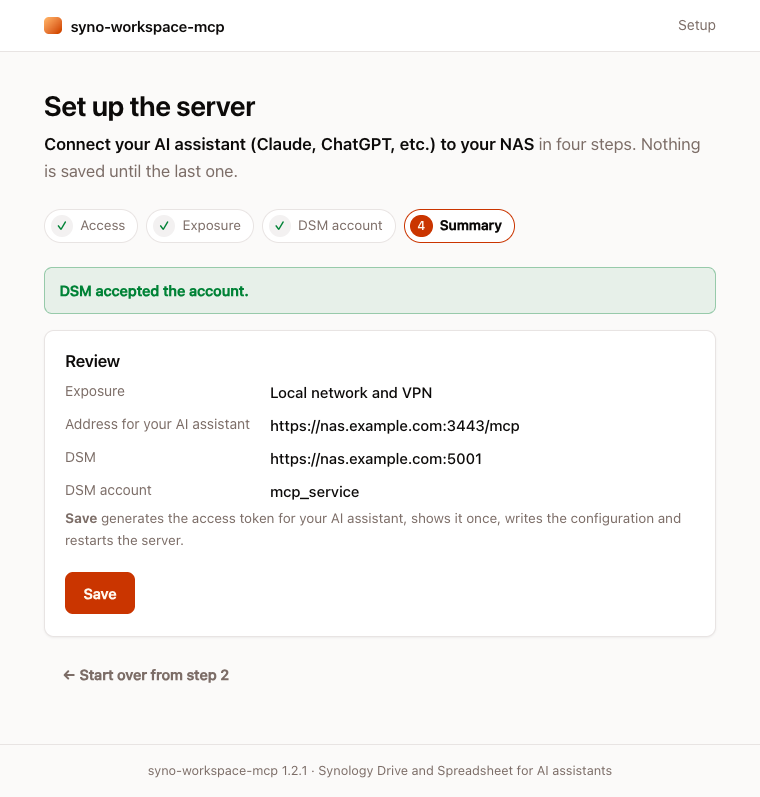
Run the setup page
It prepares the DSM account and the team folder, then generates the access token.
Connect your assistant
One-click extension for Claude Desktop, one command for Claude Code, or the server address and token for any MCP client that supports remote servers with a custom header. Client setup
Requirements
DSM 7.2 or later with Container Manager, Synology Drive Server and Synology Office, and an HTTPS address for the NAS with a valid certificate.
Bring your NAS into the conversation
Free and open source. Questions and ideas are welcome on GitHub.